Every trip on one board, nothing slips through
Plan, assign and follow trips in one place. FleetPulse points out what needs doing next, so dispatchers don't have to remember.
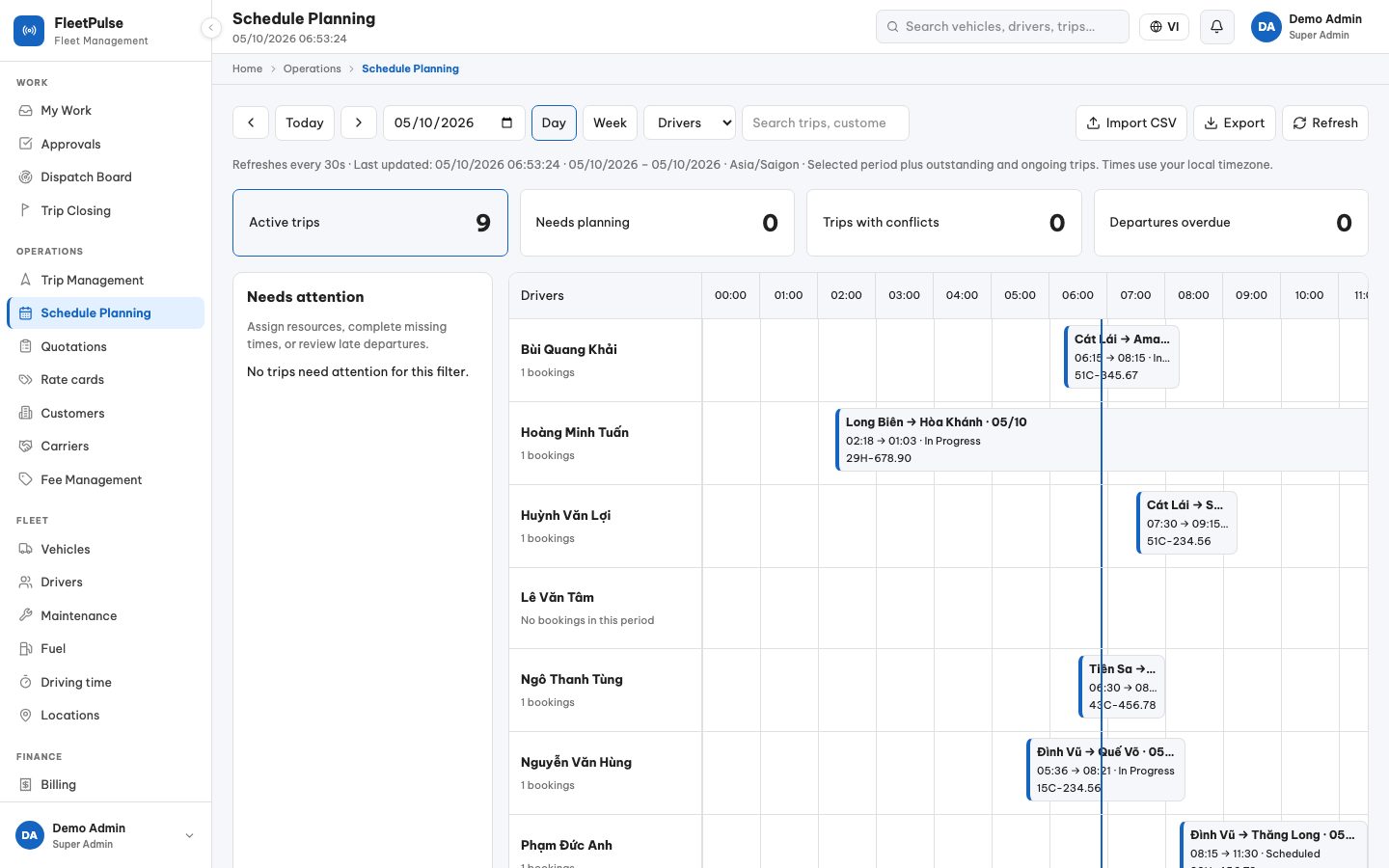
Plan by day and week
See trips by driver or by truck on a timeline. Pick a trip to assign resources and planned times.
- Day/Week views, by driver or truck
- Clashing and late-starting trips flagged
- Trucks in maintenance and drivers with expired documents greyed out
- Import schedules from CSV
Today's dispatch board
Today's and tomorrow's trips by status: delayed, in progress, scheduled, awaiting close, with stop progress.
- Delayed trips stand out
- See whether the driver has opened the trip in the app
- Open the trip on the schedule to reassign it
From quotation to trip
Price from rate cards by route, truck type and weight. An accepted quotation becomes a trip without retyping.
- Rate cards per trip, km or tonne, with minimums
- Tolls and surcharges per route
- Subcontract to carriers, with carrier statements
Close trips with proof
A completed trip is closed only with delivery proof or a clear reason, then moves on to confirmation and invoicing.
- Trips awaiting close
- Handle customer disputes
- Tracking links for customers
Driver app
Drivers take trips, check in at stops, photograph delivery proof and report issues from their phone, even without signal.
Learn more →Finance & invoicing
From quotations and rate cards to customer confirmation, invoices, e-invoices, receivables and payments.
Learn more →Fleet & GPS
Live map, driving time, maintenance plans, fuel and document expiry.
Learn more →See FleetPulse run your day
Book 30 minutes: we walk through your company's own process and answer every question about getting started.